Production Case Study
Excel clinic system sold and used by two secretaries.
A production Excel system for a medical clinic that organizes appointments, separates morning and afternoon shifts, tracks payments and expenses, and gives the team daily and monthly visibility.
2
active secretaries
3k+
annual appointments
60%
less tracking time
Excel
production tool
Role
Business analysis, solution design, Excel build, deployment and user handoff
Users
2 medical secretaries
Status
Sold and deployed in clinic workflow
Stack
Excel, advanced formulas, conditional formatting, data validation
The problem
The clinic needed a clearer way to manage appointments and financial tracking. Manual methods made it harder to see daily performance, calculate balances and keep morning and afternoon shifts organized.
The goal
Create a practical Excel-based system that could be adopted quickly by secretaries, reduce calculation errors, organize appointments by shift and provide daily, monthly and annual summaries.
Product views
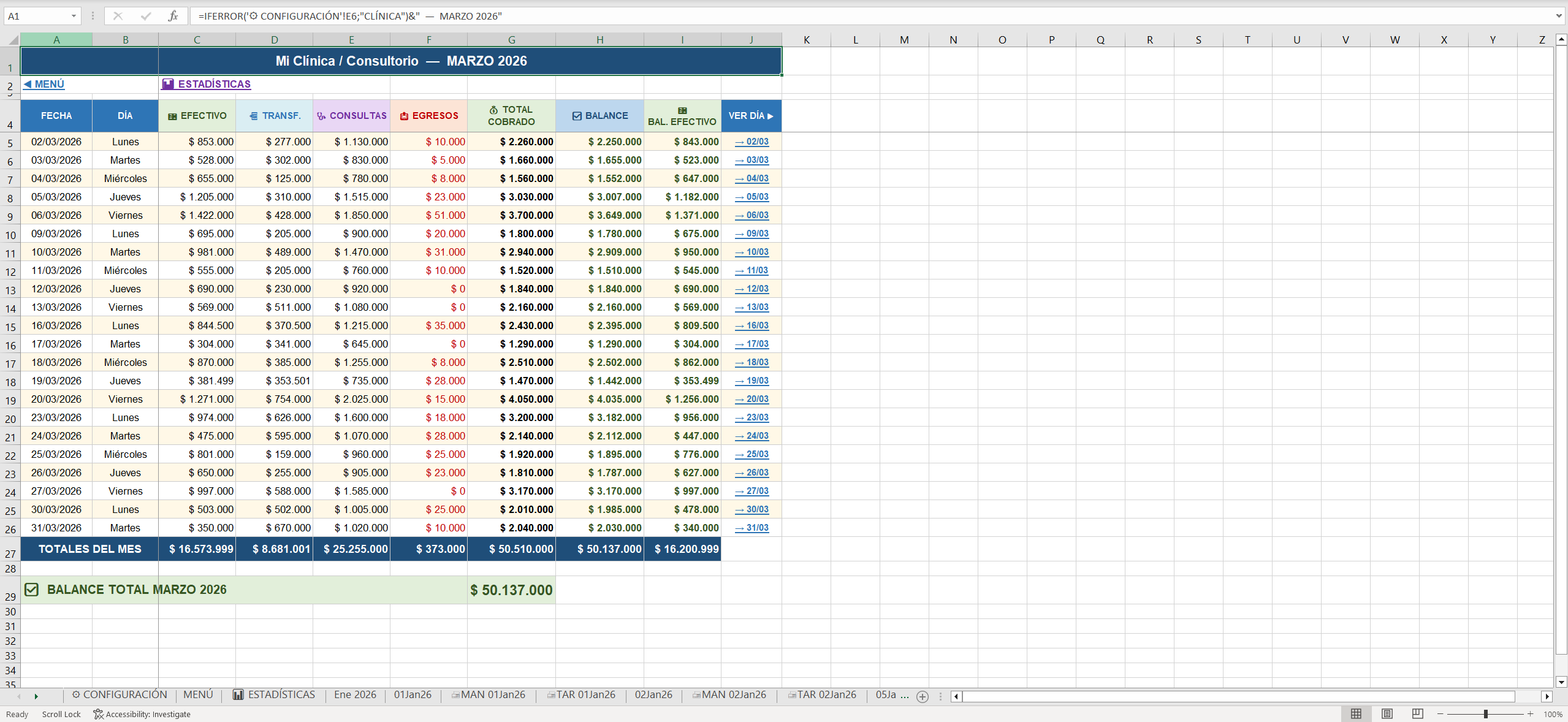
Monthly overview
Daily appointment and finance totals aggregated into a month-level view.
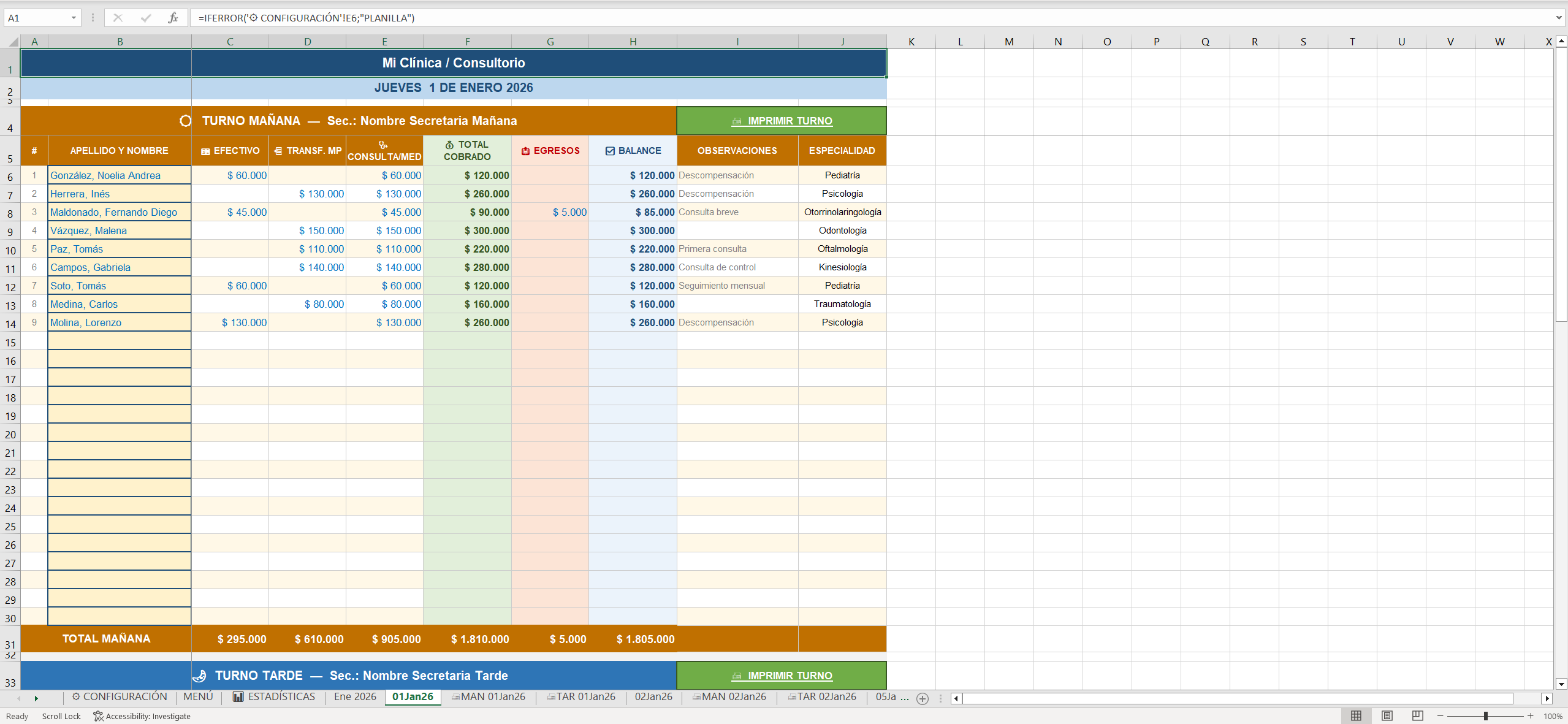
Daily appointment sheet
Morning and afternoon shifts with payments, expenses and automatic balances.
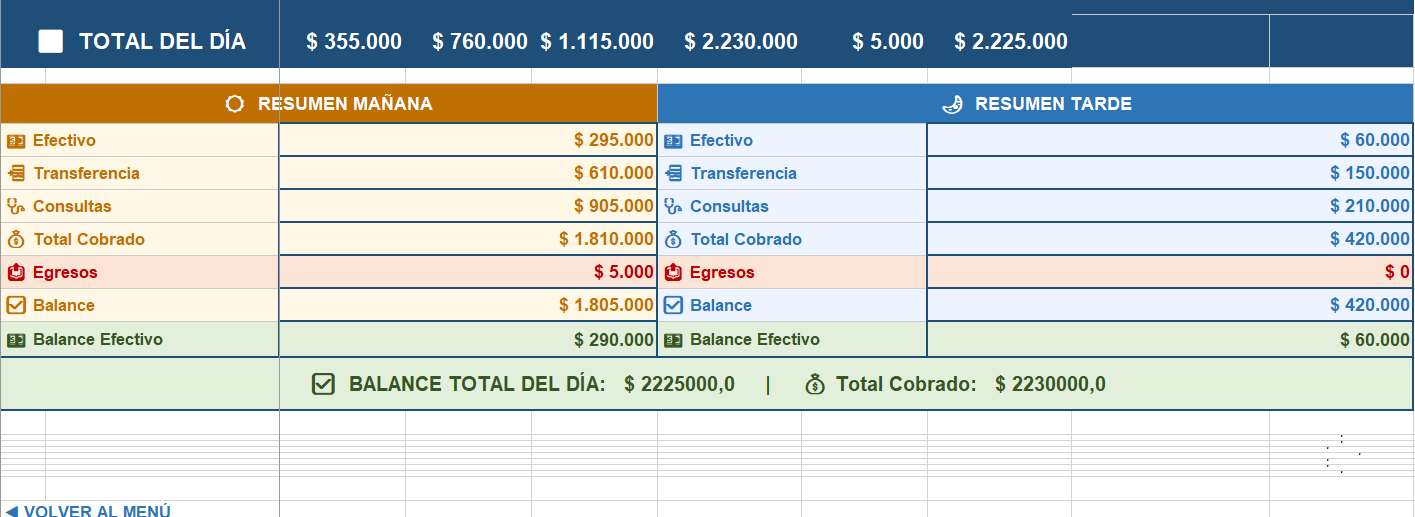
Day totals
Automatic totals for cash, transfers, consultations, expenses and balance.
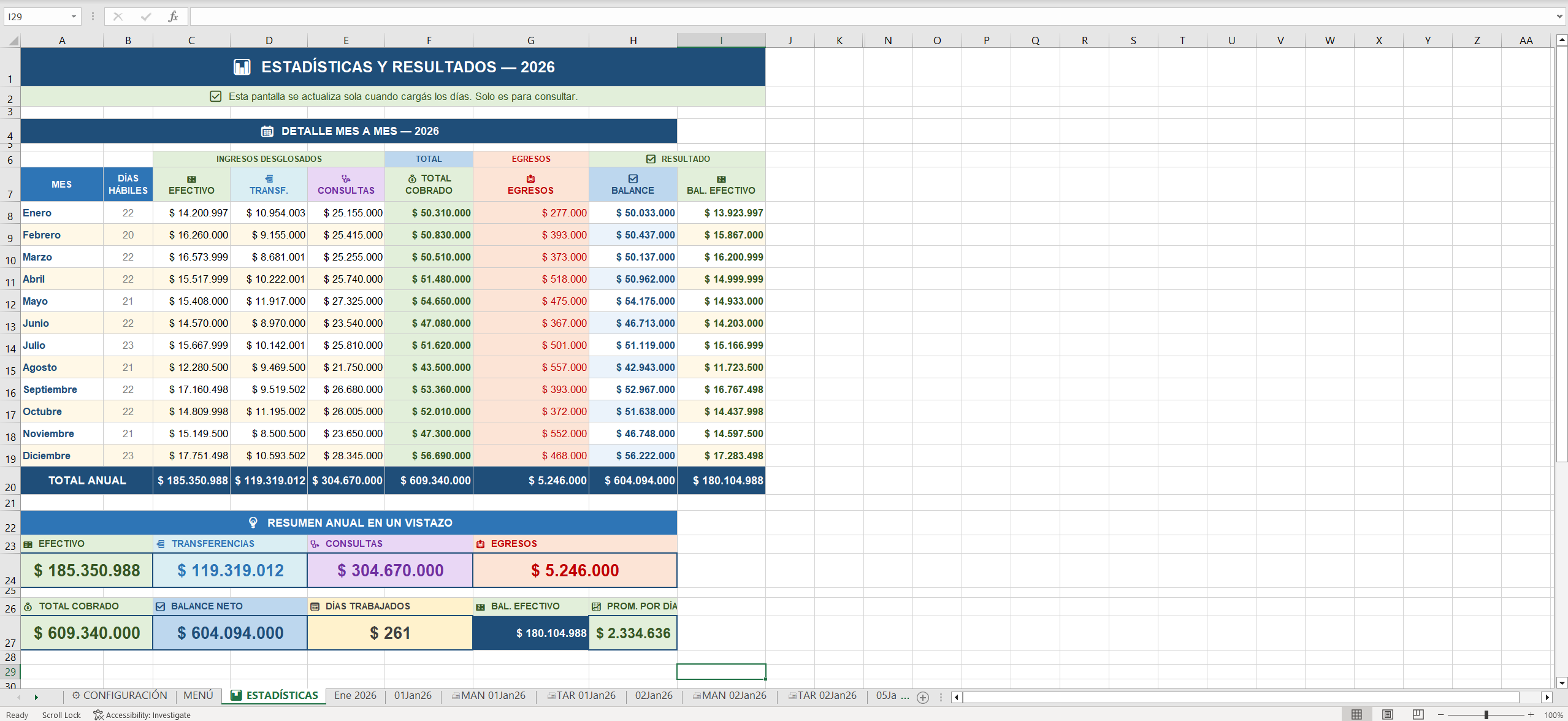
Statistics dashboard
Annual performance metrics and clinic overview.
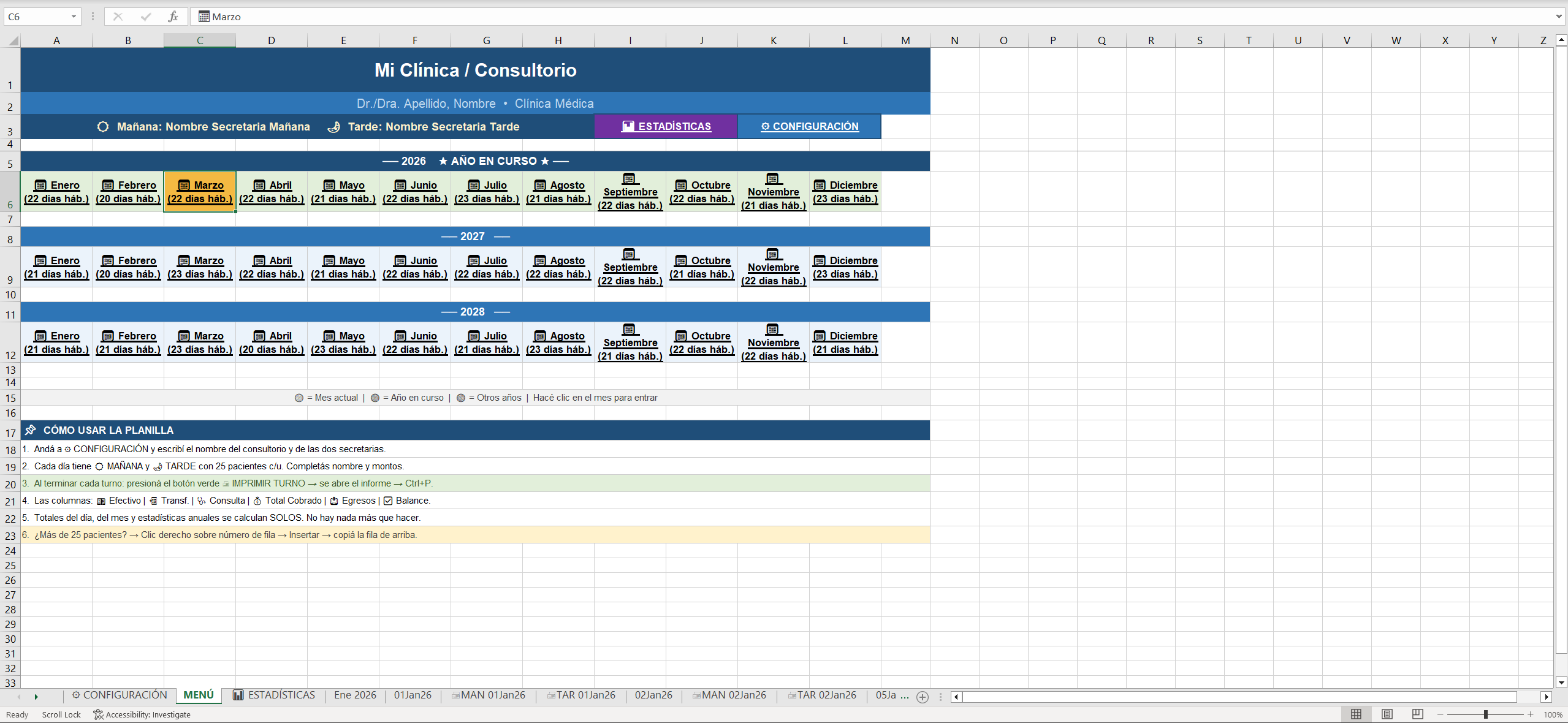
Month navigation
Navigation across years, months, statistics and usage notes.
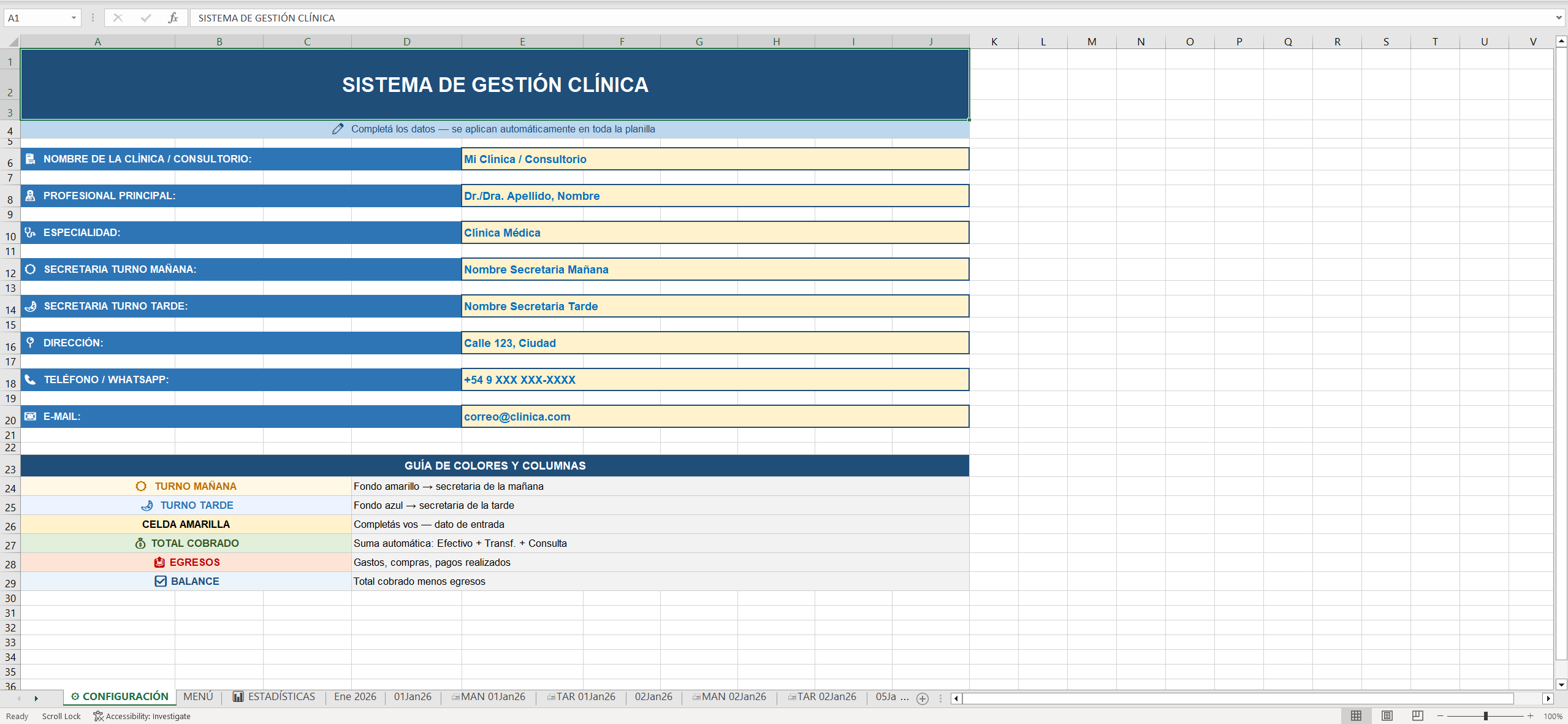
Configuration
Clinic data, secretary names, contact fields and color guide.
What the system does
Appointment tracking
Organizes daily patients in separate morning and afternoon shift sections.
Financial control
Tracks cash, transfers, consultation prices, expenses and daily balances.
Monthly summaries
Aggregates daily sheets into month-level totals and quick navigation.
Statistics dashboard
Shows yearly clinic metrics and performance overview.
Secretary workflow
Keeps the interface familiar because the team already works in Excel.
Printable records
Uses structured sheets that can be printed and archived when needed.
How I built it
Observed the clinic workflow
The system came from seeing how secretaries handled appointment and financial tracking in daily work.
Chose Excel intentionally
Instead of forcing a new platform, I built inside a tool the team already understood, reducing adoption friction.
Delivered a usable system
The final workbook was sold, deployed and handed off to the clinic with a structure the secretaries could use every day.
Technical decisions
- Separate daily sheets with morning and afternoon shift structures.
- Cross-sheet formulas to aggregate daily totals into monthly summaries.
- IF, AND, IFERROR and SUM logic to handle blanks and prevent calculation errors.
- Data validation for specialties and consistent input options.
- Conditional formatting and visual sections to make scanning easier for secretaries.
- Print-oriented layouts for daily appointment and financial records.
Impact
The system is used by two secretaries in a real clinic workflow. It reduced appointment tracking time, removed manual balance calculations and gave the clinic clearer visibility into appointments and finances.
Why this project matters
This project shows that useful software is not always a full web app. Sometimes the right solution is a well-designed spreadsheet that fits the user's context and gets adopted quickly.