Automation Case Study
Spirometry report generator that turns hours of work into minutes.
A desktop app I use in my own healthcare workflow to load patient data, validate fields, select respiratory patterns, and generate structured Word reports much faster.
300+
reports generated
min
report turnaround
Word
output format
Excel
batch loading
Role
Problem analysis, Python development, UI, document automation and testing in real use
Context
Healthcare workflow for spirometry report generation
Status
Used in my own work
Stack
Python, CustomTkinter, python-docx, pandas, openpyxl
The problem
Spirometry reporting involved repetitive manual work: copying patient data, selecting clinical patterns, writing similar report structures, organizing output files and preparing documents for delivery.
The goal
Build a focused desktop tool that reduces repetitive typing, standardizes the report format, supports batch loading from Excel, and makes report generation fast enough for daily clinical work.
Product views
Main interface
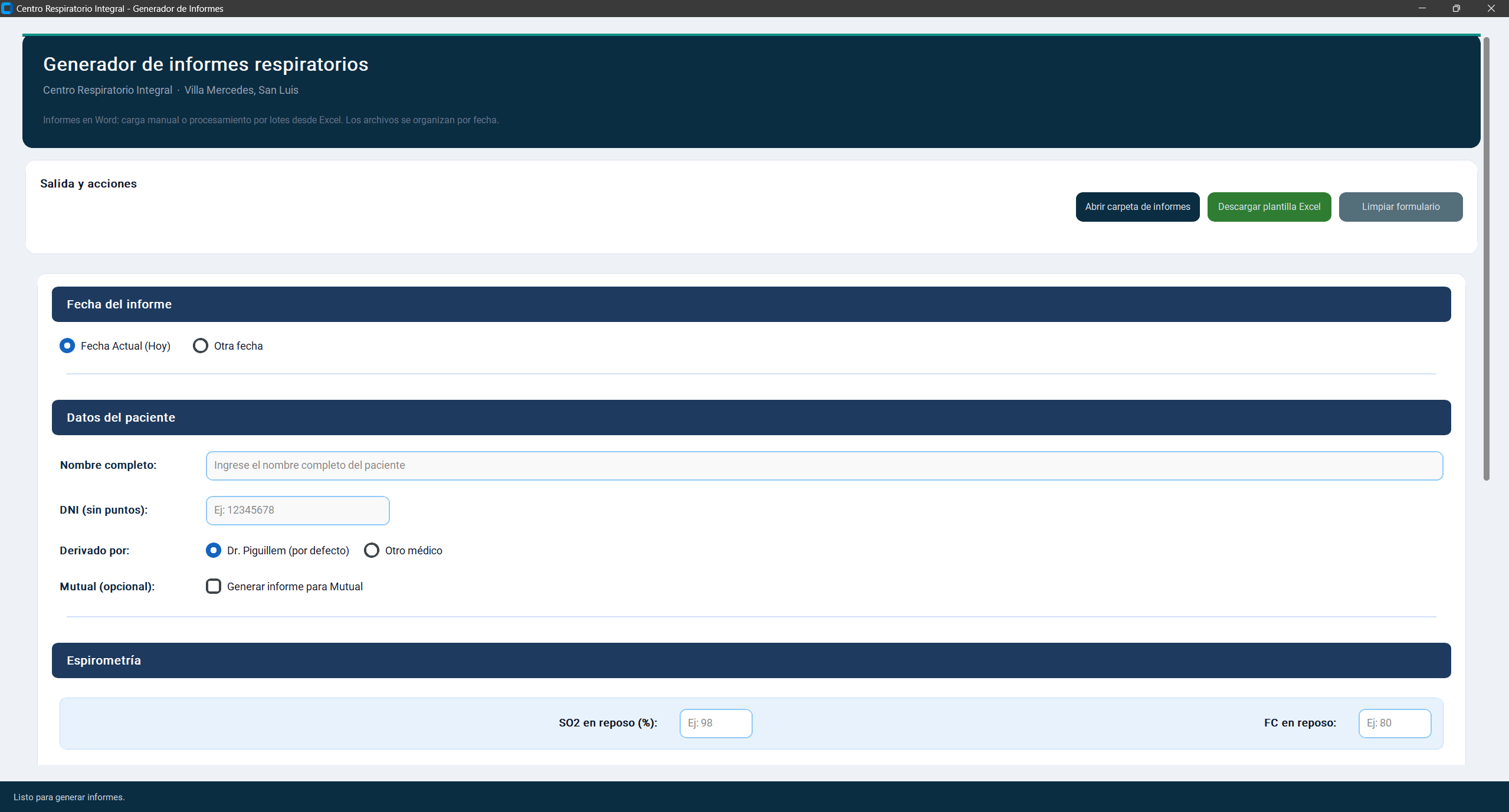
Patient list, search and a desktop workflow designed for fast report work.
Report form
Patient data, respiratory pattern, bronchodilator result and optional test information.
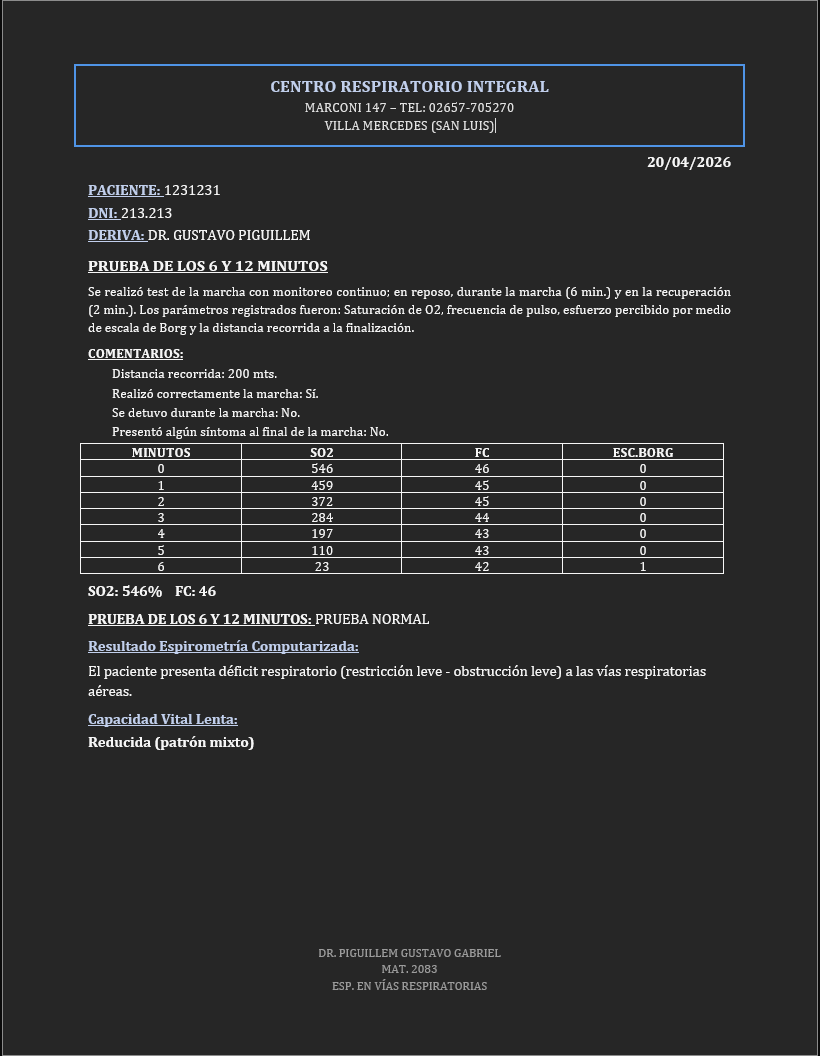
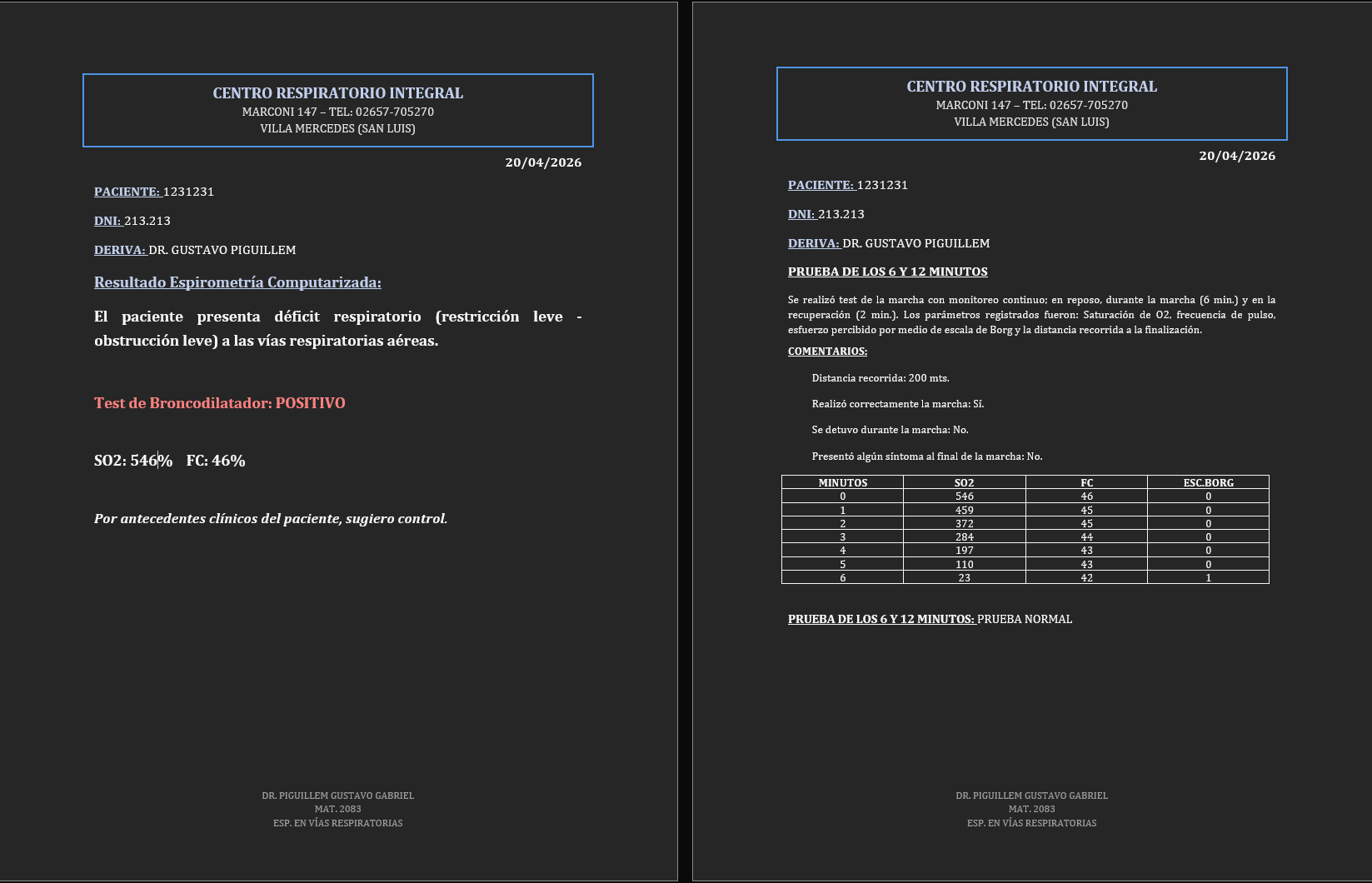
Generated report
Confirmation flow after creating the medical document.
What the system does
Patient data
Captures patient name, ID, referring physician and relevant values for the report.
Clinical options
Supports normal, obstructive, restrictive and mixed respiratory patterns.
Bronchodilator test
Allows marking positive bronchodilator response and adding it to the final document.
Excel batch loading
Loads patient batches from spreadsheets to avoid repetitive manual entry.
Report generation
Creates structured Word documents in organized date folders.
Workflow consistency
Standardizes report format and reduces omissions in repetitive document work.
How I built it
Started from my own workflow
I built the tool around the exact repetitive steps I was doing while preparing spirometry reports.
Turned repeated text into structured logic
Patterns, options and patient data became inputs that generate a consistent Word document instead of being rewritten manually.
Improved it through use
After generating hundreds of reports, the app became faster and more practical for the real routine.
Technical decisions
- Python desktop app with CustomTkinter for a simple local workflow.
- python-docx for generating editable Word reports instead of static screenshots or PDFs.
- pandas and openpyxl for Excel batch loading and spreadsheet processing.
- Organized output folders by date to keep generated reports easy to find.
- UI designed for quick data entry and readable fields during repetitive work.
- Report logic separated into structured inputs: patient data, clinical pattern, optional tests and output generation.
Impact
I have generated more than 300 reports with this tool. It reduced a repetitive task from hours to minutes and made the workflow more consistent in my own healthcare work.
Why this project matters
This project shows that I do not only build portfolio demos. I also build small, useful tools that solve my own real work problems and survive repeated daily use.